


Jenny Solitaire® - Card Games
4.76.43K Reviews
App Specs
- Version
- 1.53.0
- Updated On
- License
- Free
- Downloads
- 5,000,000+
- Developer
- Oakever Games
- Categories
- Card
- Platform
- Android, iOS
Screenshots
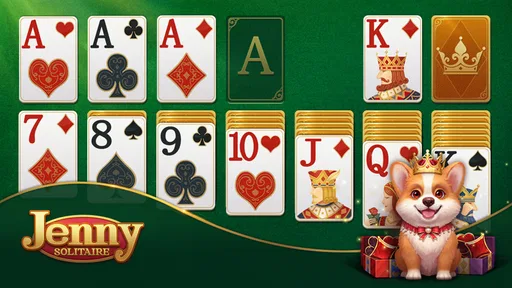
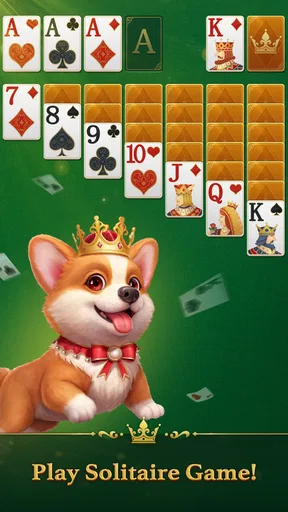
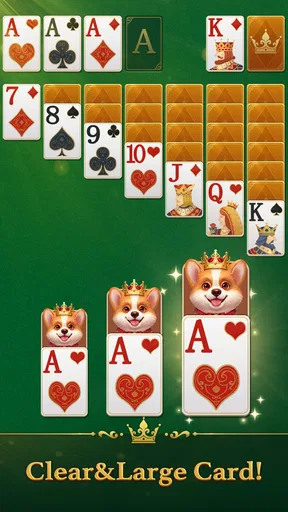


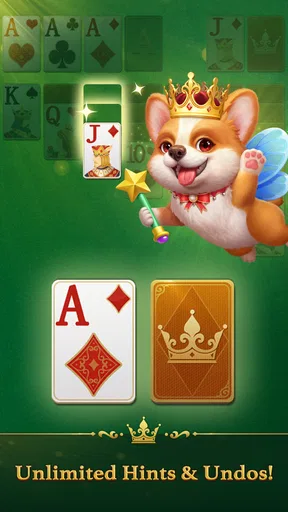
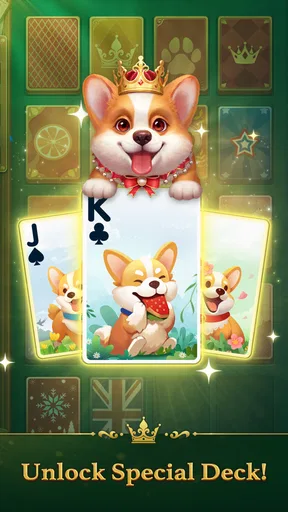
 Analysis by AppCompare
I like a solitaire game best when it gives me a quiet place to focus without turning a simple card layout into a chore. Jenny Solitaire® - Card Games aims for that gentle, welcoming mood, with corgi Jenny and a royal setting framing familiar card play. The presentation is part of the appeal, but the real test is whether the game stays easy to read and pleasant to return to. For me, it works best as a relaxed little pause rather than a demanding challenge.
A small game for the gaps in your day
This is a free card game from Oakever Games, released on July 3, 2023, and currently at version 1.52.0. It has a 4.7 average from around 272,000 ratings, with over 1 million installs. That popularity makes it an easy title to consider if you already enjoy solitaire, though the rating alone cannot tell you whether its style or pace suits you. The age rating is Everyone, so it is also approachable for a broad range of players.
I can picture opening it while waiting for a train, taking a short break between tasks, or settling down for a few calm rounds in the evening. Solitaire suits those moments because I can play at my own pace and stop when I need to. The corgi-and-royal framing gives this version a more playful identity than a bare digital deck, without changing the basic appeal of sorting cards and thinking a move ahead.
What the setting adds—and what it doesn’t
The visual idea gives the game a friendly personality. Jenny makes the royal atmosphere feel less formal and more approachable, which is a nice fit for a game built around quiet concentration. I prefer this kind of light theme to elaborate effects that compete with the cards for attention. Here, the setting is a mood around the play, not a reason to expect a story-driven adventure.
That distinction matters if you are choosing between solitaire apps. A plain Klondike game may suit someone who wants the cards and nothing else; this one makes a stronger effort to feel warm and characterful. If you are hoping for a substantial narrative, a competitive card battler, or a game that depends on constant novelty, the gentle setting may not be enough. Its appeal is in making familiar play feel inviting.
Sound, focus, and a comfortable pace
For a casual card game, the best rhythm is often the one that lets me think without rushing. I would use this for brief, low-pressure sessions rather than treating it as a timed test or a long progression grind. That makes it a good companion for a quiet moment when I want something more engaging than scrolling but do not want a demanding game demanding my full attention.
A practical tip is to decide before you start whether you want to play for a few minutes or settle into a longer session. Solitaire can easily stretch when I keep searching for one more move, so setting my own stopping point helps the game remain a break instead of becoming a distraction. The same measured pace will not suit everyone: players who want head-to-head competition, frequent surprises, or fast action should look elsewhere.
Worth Reading Before You Choose

EA SPORTS FC Mobile 26 Is a Bigger Football Game, but It Takes Time

Flipboard Shows What News Apps Must Do Beyond the Feed

Switching to Android Auto Means Rethinking Your Driving Routine

Google Calendar Makes a Crowded Week Easier to Manage

Ludo King Makes the Most of the Minutes Between Plans

Baby Panda World Brings Quick Play to Modern Phones, but Its Game Library Feels Busy
First Impressions
Right off the bat, Jenny Solitaire® - Card Games welcomes you with a clean and intuitive interface. It’s like stepping into a cozy café where every table has a deck of cards just waiting for you. The app doesn’t bombard you with overwhelming options or flashy graphics, which I appreciate. It keeps things simple, making it a breeze to get started.
Gameplay and Features
Now, onto the gameplay. This app isn’t just your run-of-the-mill solitaire game; it offers a collection of card games to keep things interesting. From the traditional Klondike to Spider and even Freecell, it’s a card lover’s paradise.
One of my favorite features is the customization option. You can change the card backs and backgrounds, giving the game a personal touch. It’s these little details that make playing feel special. Plus, the hint system is super handy if you ever find yourself stuck. I mean, who hasn’t had that moment where you just stare at the screen hoping for a miracle?
Design and Usability
The design of the app is both aesthetically pleasing and functional. The cards are easy to read, and the animations are smooth without being distracting. The app runs seamlessly on both Android and iOS, which is a huge plus in my book.
I was also impressed by how user-friendly the app is. Whether you’re a seasoned card player or a newbie, navigating through the game is a piece of cake. The developers have clearly put a lot of thought into making sure the app is accessible to all ages. This makes it a great option for family game nights.
Making the most of hints and visual choices
A useful way to treat the hint system is as a learning aid, not an automatic next-move button. When I am stuck, I can ask for a nudge, then pause to work out why that move matters before tapping it. That keeps the decision-making part of solitaire intact and can help a newer player notice how moving a card opens or blocks later choices. If I use hints reflexively, though, I lose the satisfaction of solving the layout myself.
Changing card backs and backgrounds is a small feature with a practical side: I can choose a combination that makes the cards stand out clearly on my screen. I would favor contrast and legibility over a busy look, especially during a longer session. These options personalize the table, but they do not change the underlying rules, so they are most useful when a visual refresh is enough to make familiar play feel inviting again.
Choosing a mode for the kind of break you want
The original article describes Klondike, Spider, and Freecell as available choices, which gives the game more variety than a single-mode solitaire app. I would start with Klondike if I wanted the most familiar routine, then try another mode when I wanted a different sort of puzzle. The trade-off is that variety within solitaire is still solitaire: it can change the shape of a session, but it will not provide the social unpredictability of a multiplayer card game.
That makes the app a reasonable fit for someone who already knows they enjoy card puzzles and wants a comfortable place to play more than one kind. If you are new to solitaire, the range can be a gentle reason to explore, but I would learn one mode at a time rather than hopping between them before the rules feel natural. If you already prefer a particular ruleset and want a stripped-back version with no themed presentation, a dedicated single-game alternative may feel more direct.
In-App Purchases and Ads
Okay, let’s talk in-app purchases and ads. The app does have some ads, but they’re not overly intrusive. They pop up occasionally between games, but nothing that ruins the experience. If ads aren’t your thing, there’s an option to remove them with a small purchase.
The in-app purchases mainly revolve around additional themes and enhancements. While the basic game is free, these extras can spice things up if you’re willing to spend a little.
What to expect before spending
The game is free to start, while optional in-app purchases range from $0.99 to $49.99 per item. I would treat the paid extras as optional rather than necessary: the central reason to install is the card play, and a new look is only worthwhile if I expect to enjoy seeing it regularly. Since the available purchase range is broad, I would check the item details in the app before buying instead of assuming every extra costs about the same.
Ads between games are a different kind of trade-off from ads interrupting a hand. As described here, they appear occasionally between games, so they are less likely to break concentration mid-layout, though anyone who strongly dislikes advertising may still find the pauses irritating. If you are deciding whether to keep playing, I would first see whether the free experience fits your routine; spending makes more sense only if the interruptions or presentation genuinely matter to you.
Who will enjoy this version of solitaire
I would recommend giving it a try if you want a friendly-looking card game for short breaks, like switching among familiar solitaire modes, or enjoy customizing a playing surface. The all-ages rating and readable cards make it approachable for family use, too. For a shared evening, I would treat it as a casual individual activity—something people can take turns trying or play alongside one another—rather than assume it provides a dedicated multiplayer format.
I would skip it if your main goal is a competitive experience, a deep campaign, or a purely minimal interface with no themed character. It is also not the right choice for someone who finds solitaire repetitive regardless of presentation; a cute setting cannot change the basic loop of planning card moves. In that case, a different kind of card game with opponents or changing objectives would be a better match.
Design and Usability
The design of the app is both aesthetically pleasing and functional. The cards are easy to read, and the animations are smooth without being distracting. The app runs seamlessly on both Android and iOS, which is a huge plus in my book.
I was also impressed by how user-friendly the app is. Whether you’re a seasoned card player or a newbie, navigating through the game is a piece of cake. The developers have clearly put a lot of thought into making sure the app is accessible to all ages. This makes it a great option for family game nights.
Everyday play without overcommitting
One realistic way I would use it is during a lunch break: start a familiar game, make a few careful moves, and stop when the break ends. If I have more time later, I can choose a different solitaire mode rather than forcing one session to do everything. This kind of self-contained play is a strength for people who want an easy entry and exit point; it is less suited to anyone who wants a strong reason to keep returning through a continuing plot or a team goal.
For a new player, I would keep the first session simple: choose the mode that feels most familiar, use a hint only after checking the available moves, and adjust the card table if the visual contrast is not comfortable. For an experienced player, the same advice works in reverse: settle on the mode you enjoy, skip hints when you want a clean test of your decisions, and use a background change for variety rather than expecting it to alter the challenge.
Why You Should Try It
If you’re looking for a reliable card game app that offers a variety of games and a relaxing experience, then Jenny Solitaire® - Card Games might just be your cup of tea. It’s perfect for unwinding after a long day or killing some time during your commute.
The app balances simplicity with just enough customization to keep things fresh. And the best part? You can challenge yourself with different levels of difficulty, so you’ll never get bored.
So, if you’re ready to shuffle up and deal, download the app and let the card games begin! Trust me, it’s a treat for any card game lover.
My final take on the mood and mechanics
The strongest reason I would choose this game over a bare-bones solitaire app is its inviting presentation around familiar card play. The character and royal styling give it a distinct tone, while the readable cards and restrained animations keep the mechanics in view. That balance is the point: the setting adds warmth without asking me to learn a new kind of game before I can enjoy a hand.
My recommendation is simple: try it if you want a calm, approachable way to play several familiar solitaire modes, and decide for yourself whether the ads or optional purchases bother you. Choose a more competitive or story-led alternative if you need other people, sustained progression, or more dramatic changes from one session to the next. For a quiet card break with a little personality, this is an easy one to keep in mind.
Pros
- Smooth and intuitive interface.
- Multiple game modes available.
- Minimal ads for free users.
- Customizable card designs.
- Offline play supported.
Cons
- Limited hints in free version.
- Occasional lag on older devices.
- In-app purchases can be pricey.
- No multiplayer option available.
- Requires frequent updates.
FAQs for Jenny Solitaire® - Card Games
What features does Jenny Solitaire® - Card Games offer?
Jenny Solitaire® - Card Games provides a classic solitaire experience with a modern twist. The app includes multiple solitaire variations, daily challenges, and customizable card themes. Players can also enjoy intuitive touch controls and offline play, making it perfect for solitaire lovers who want flexibility and variety.
Is Jenny Solitaire® - Card Games free to play?
Yes, Jenny Solitaire® - Card Games is free to download and play. However, it may include in-app purchases for premium features, such as ad removal or special themes. These purchases are optional and not required to enjoy the core gameplay experience.
Does Jenny Solitaire® - Card Games require an internet connection?
While Jenny Solitaire® - Card Games can be enjoyed offline, some features like daily challenges and leaderboards require an internet connection. Playing offline is perfect for those who want to enjoy the game without interruptions or data usage.
How user-friendly is the interface in Jenny Solitaire® - Card Games?
The interface of Jenny Solitaire® - Card Games is designed to be user-friendly and intuitive. With simple touch controls and easy navigation, players of all ages can quickly understand and enjoy the game. The clean design ensures a smooth and engaging experience without unnecessary clutter.
What device compatibility can I expect with Jenny Solitaire® - Card Games?
Jenny Solitaire® - Card Games is compatible with both Android and iOS devices, ensuring a seamless experience across smartphones and tablets. Regular updates keep the app optimized for the latest operating systems, providing stability and enhanced gameplay for users.


